December 9th, 2025

We’ve made several updates this month to enhance the power and usability of T-Stats Solutions. From improvements in help documentation to improved report experiences. Here’s what’s new:
Enhancement
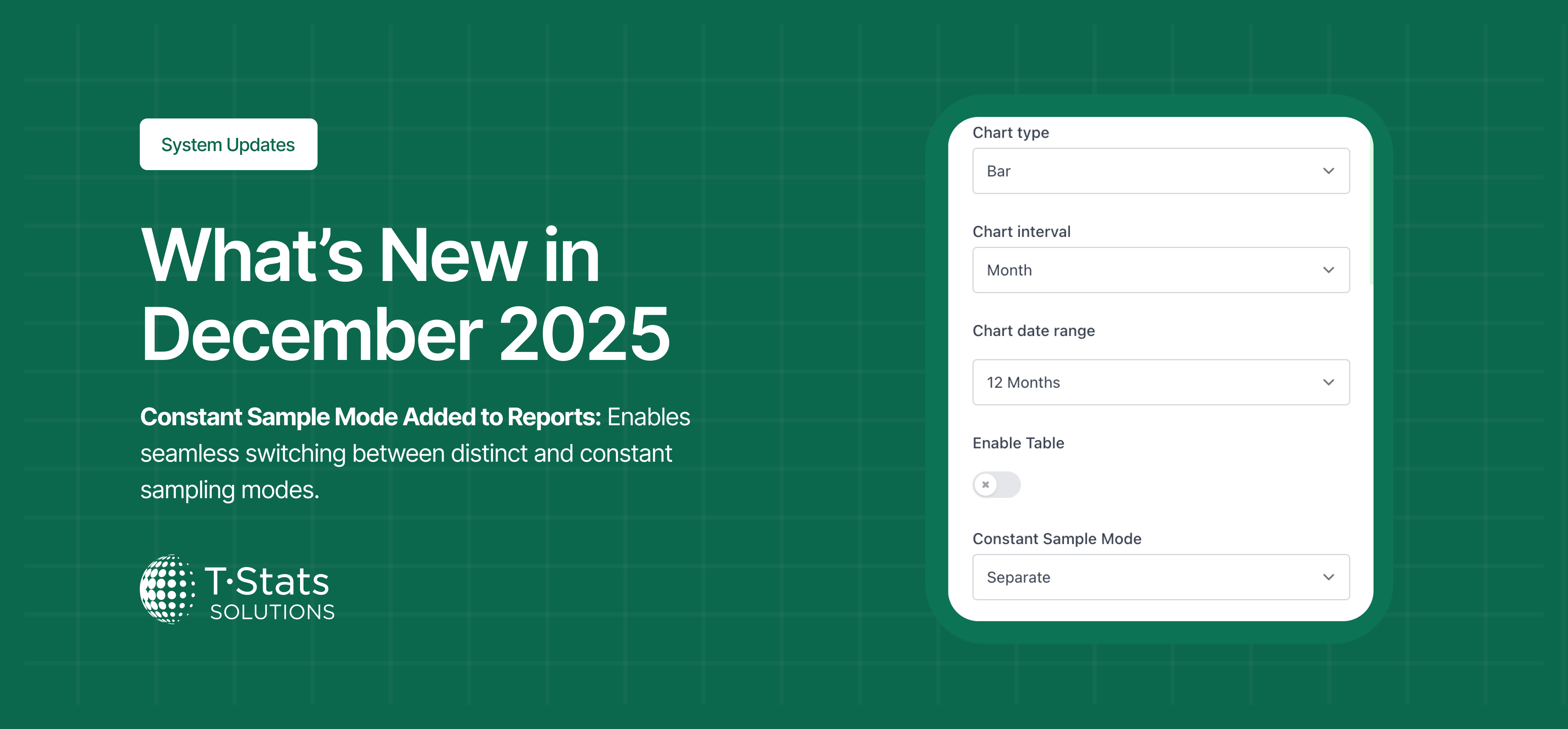
Constant Sample Mode Added to Reports: Implemented a new constant sample mode in the report function, allowing users to switch between distinct sampling and constant sampling.
Bug Fixes
Reports – improved user experience of integrated Reports functionality
Unauthorized Tracker Groups in Cross-Tracker Analysis: Fixed an issue where tracker groups that users did not have access to were appearing in the Cross-Tracker Analysis modal.
Attendance Metric Missing in Events Tracker Analysis: Fixed an issue where the attendance tracker metric was not visible in the Events Tracker data analysis view.
Incorrect Default Date Range in Data Analysis: Fixed an issue where the default date range in Data Analysis showed only the last 11 months instead of 12.
Help Pages – Increased available documents in Help section.
👉 Thanks for using T-Stats! We’re committed to making the platform better for you and your businesses every month. Your feedback helps shape these improvements — keep it coming!
November 5th, 2025

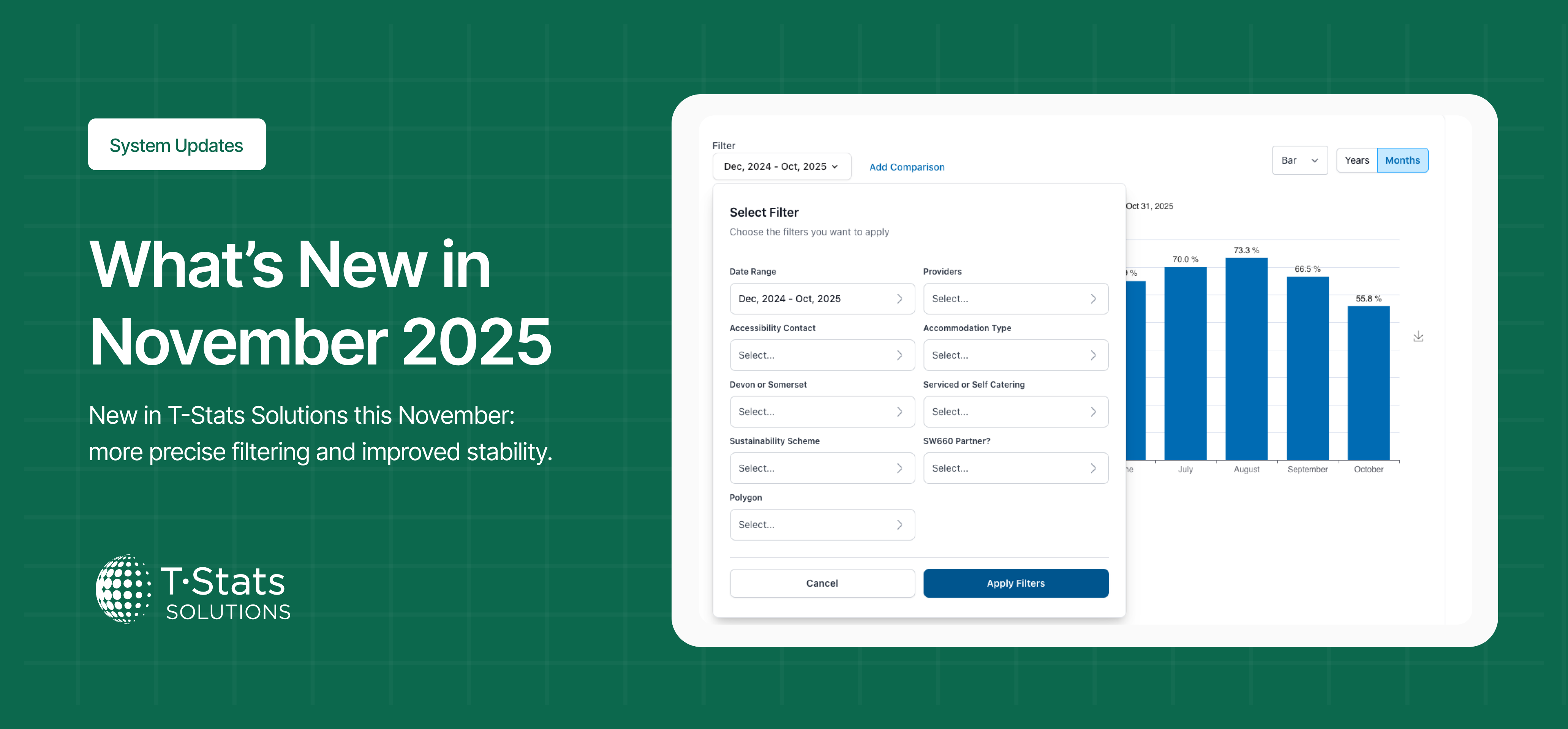
We’ve made several updates this month to enhance the power and usability of T-Stats Solutions. From more precise filtering to improved stability, here’s what’s new:
Dashboard 500 Error – Fixed an issue causing the dashboard to throw a 500 error. The dashboard now loads reliably without errors, ensuring stable access.
Disappearing Events: Fixed an issue where newly created events in the system were disappearing after creation. Events now save and display correctly, ensuring accurate event tracking and management
App Window Closes After Account Switch: Fixed an issue where the T-Stats app window would close unexpectedly after a user switched accounts. Users can now switch between accounts smoothly without the app closing.
Incorrect Event Count in Slide-Out Sheet: Fixed an issue where the number of events metric displayed an incorrect count in the event tracker slide-out sheet. The metric now accurately reflects the total number of events for specific dates.
Done Button Accessibility in Date Filter: Fixed an issue in the Attractions Tracker where users could not access the ‘Done’ button after scrolling within the date filter. Users can now scroll and select the ‘Done’ button. Allowing filters to be applied.
Broken App Download Links in Welcome Email: Fixed an issue where the links to download the apps in the welcome email for new users were not working. New users can now access the correct app download links directly from their welcome email.
Username Case Sensitivity in Login Experience: Fixed an issue where case sensitivity in usernames prevented users from logging into the system. Usernames are now treated as case-insensitive, allowing users to log in regardless of the letter case of their username.
Event Analytics Graph Not Updating: Fixed an issue in the event analytics tracker where the graph did not update after events were deleted. Graphs now refresh correctly to reflect the latest event data.
No Data Displayed for Upcoming Events (Polygon Filter): Fixed an issue in the Events Tracker where no data appeared for upcoming events when using the polygon filter. Upcoming events now display correctly within the selected polygon area.
Calendar Events Not Visible in Analysis View: Fixed an issue where events created on the calendar were not appearing in the analysis view on the platform. Events now display correctly across both calendar and analysis views, ensuring consistent and complete data visibility.
Popup Cut-Off in Period Comparison: We fixed an issue where the popup filter box was cut off when adding a third comparison in the data analysis view. The popup now fully displays all filter comparison options on screen.
Attraction Dashboard Title Data Not Rendering: Fixed an issue where the Attractions dashboard tile failed to render data from the tracker.
Edit Tracker Access Search Function: Fixed an issue in the system where the search function within the Edit Tracker Access feature was not working. Users can now search and locate trackers efficiently.
Tracker Data Export Function: Fixed an issue where the “Export Data from Tracker” function was not sending emails with download links.
👉 Thanks for using T-Stats! We’re committed to making the platform better for you and your businesses every month. Your feedback helps shape these improvements — keep it coming!
October 9th, 2025

We’ve made several updates this month to enhance the power and usability of T-Stats Solutions. From more precise filtering to improved stability, here’s what’s new:
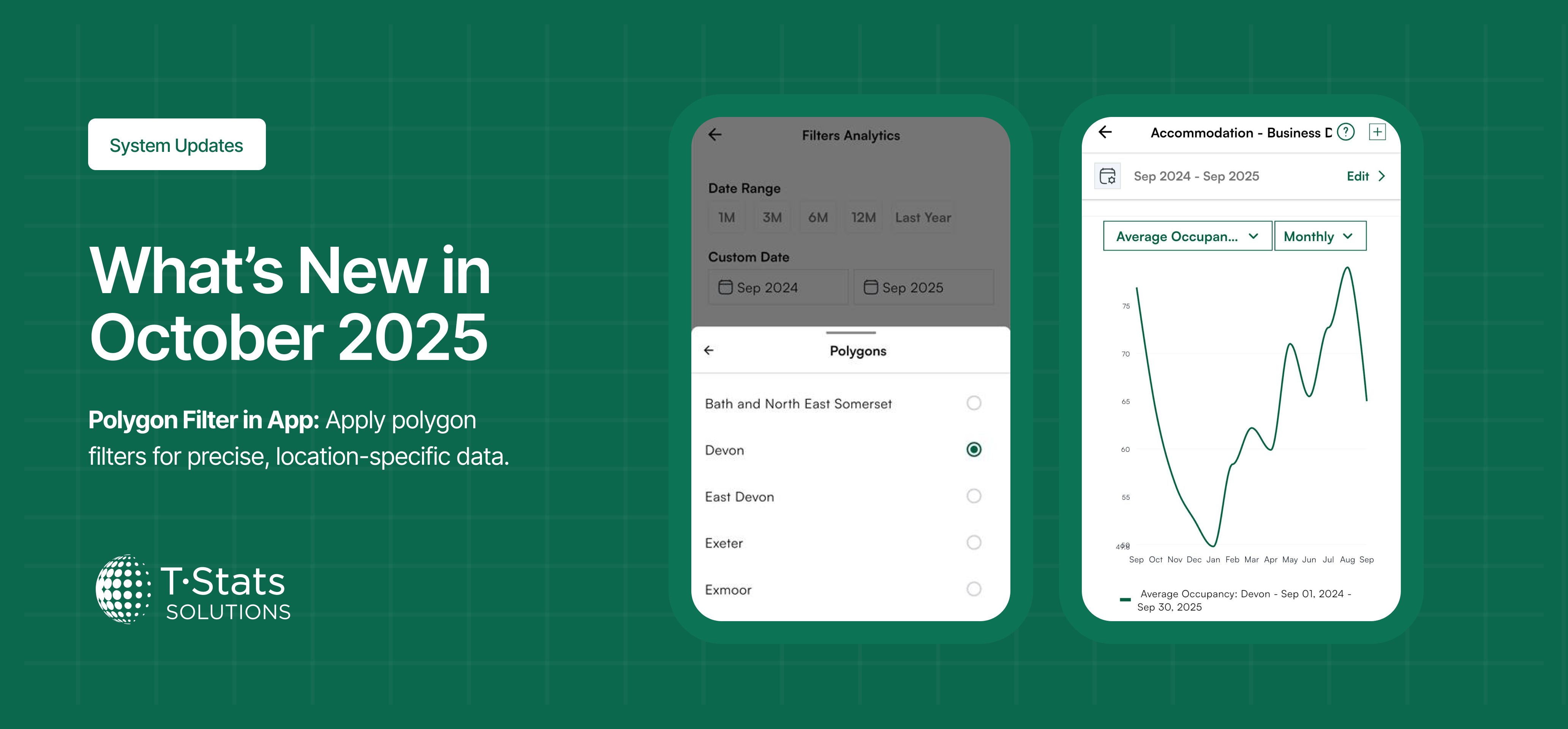
Polygon Filter in App
Added support for polygon filtering directly within the app. Users can now apply polygon filters for more precise and location-specific data filtering.
Enhancement
Updated Weather Widget Labels: Updated the weather widget label to reflect the 5-day forecast and set the default toggle to show the 5-day view.
Bug Fixes
National Trackers in Cross Tracker – national trackers are now available in cross-tracker view.
Dashboard Widget Colors – graphs now display correctly (green when no prior-year data exists).
Settings Menu Visibility – selected admin groups can now see the Settings menu as expected.
Saved Events – saved events now appear reliably in the slide-out bar for easy editing.
Weather Widget Editing – fixed errors when editing weather widget cards on the dashboard.
Calendar Event Creation – resolved errors when creating calendar events with the tracker disabled.
Provider Name Field – improved text entry so typing and backspace behave correctly.
My Business Visibility – providers can now see the businesses they are associated with in the app.
Calculation – Fix calculation when entering data
Push Notifications – fixed issues with push notifications so you’ll receive timely alerts again.
👉 Thanks for using T-Stats! We’re committed to making the platform better for you and your businesses every month. Your feedback helps shape these improvements.
September 5th, 2025

We’ve made several updates this month to make T-Stats Solutions more powerful and easier to use. From improved onboarding for businesses to a cleaner interface for managing your account, here’s what’s new:
New Business Onboarding Workflow
When new businesses are added they are now guided through completing all required details, including custom fields and map pins, during the first setup. This ensures each business profile is complete and accurate from the start, reducing gaps and giving you a smoother onboarding experience.
Custom Field Requirements for Providers
You can now specify which custom fields are required for providers. This gives you more control over the information collected and ensures consistency across all provider profiles.
Enhancements
Easier Polygon Management: The redesigned account settings interface makes it simpler to add and manage polygons. You’ll see a clear list of all polygons already linked to your account, helping prevent duplication and errors while keeping your data more accurate.
Menu Update: “Event” → “Calendar”: For clarity and better usability, the Event menu has been renamed to Calendar. This better reflects its purpose and makes it easier to find and manage your destination activities.
Large File Uploads: Improved handling for big files, ensuring smoother, more reliable uploads.
👉 Thanks for using T-Stats! We’re committed to making the platform better for you and your businesses every month. Your feedback helps shape these improvements — keep it coming!